The best Substack APIs in 2026, tested and priced per 1,000 post reads


If you just want to know when a publication posts, use Substack RSS. It's the one post-reading route Substack documents, it needs no key, and it answered in about 0.14 seconds. If you also want the paywall flag and the reaction counts, the undocumented archive JSON route returns them at the same speed for free, as long as you're fine owning the day it changes. For article bodies and comment threads on someone else's machine, Apify's Substack Scraper and AnyAPI both return them now, at $0.57 and $0.518 per 1,000 posts in five-post batches. Substack's new official Developer API changes none of this, because its Authorized Data covers profiles and publications, not post bodies.
Built on AnyAPI
427 scraping and data APIs behind one key.
Every endpoint in this post is one call away. Pay per request in USD from a prepaid wallet, with automatic failover when a provider breaks. No subscription, no card to start.
Get ~160 free requests$0.10 of credit on signup.Reading a Substack publication from code sounds like one GET. Give it a URL, get the recent posts back as JSON, write them to a table, poll again tomorrow. Substack now has an official Developer API, but its terms list public creator and publication data as Authorized Data, and post titles and bodies aren't on the list. So the job still splits across the feed, an undocumented archive route, an open-source wrapper, and two hosted scrapers.
I called every route against the same three public publications, Astral Codex Ten, Lenny's Newsletter, and Not Boring, asked each for the five most recent posts, and timed what came back. I also installed substack-api for Python in a clean environment and ran the same reads through its objects.
The short version: the free routes are faster and good enough for most jobs. The two paid options earn their fee only when you need article bodies or comment threads and don't want to run the scraper yourself. This piece was updated on 2026-09-12 after the AnyAPI endpoint moved to a new source, and the AnyAPI section reflects fresh calls from that day.
The best Substack APIs for reading posts
- Substack RSS for recent-post monitoring
- Direct Substack JSON for rich reads with owned maintenance
- substack-api for Python for Python projects that value convenience
- Apify Substack Scraper for hosted archives and nested comments
- AnyAPI for article bodies in one normalized contract
What makes a good Substack post API?
I'm assuming you have a list of publications and a job that polls them, and that you're reading public posts rather than publishing them. Here's what I compared them on.
- Public post records without a publisher login. If a route needs you to own the publication, it can't read anyone else's archive.
- Archive depth and pagination. The five most recent posts is one thing. Walking a whole archive means knowing how paging works before you write the loop.
- Body, paywall, and engagement fields. Title and link are the floor. Whether a post is paywalled, how many reactions and comments it has, and whether the body text is there decide what you can build.
- Price per 1,000 returned posts, in dollars. Every vendor bills in a different unit. I normalized each one to what a thousand post records cost at the batch size I used.
- Response time on the same input. Three publications, five posts each, timed.
- Maintenance exposure. What happens to your job the day Substack changes a route.
Three publications and one call per publication per option shows the response shape and the rough speed, not uptime.
The timers aren't equal. The direct routes used the Node fetch timer, the Python wrapper includes its own pause, and the hosted options include scraper startup.
The free routes, the Python wrapper, and Apify were measured on 2026-09-02. AnyAPI was re-measured on 2026-09-12 after the endpoint changed, so its records are a different set of posts.
RSS body fields may hold an excerpt rather than the full text of a paid post.
Both hosted options return a preview body for a paywalled post and label it as such. Neither gets past a paywall, and nothing here was tested with a paid-reader session.
Prices checked on the dates above. The free routes exclude whatever your own infrastructure costs to run them.
The best Substack post APIs at a glance
| Tool | Best for | Why pick it | Median response, five posts | Price per 1,000 post reads |
|---|---|---|---|---|
| Substack RSS | Recent-post monitoring | Official feed path with no key | 142 ms | $0 API fee, excluding compute |
| Direct Substack JSON | Rich reads with owned maintenance | Archive metadata, paywall, and engagement fields | 135 ms | $0 API fee, excluding compute |
| substack-api for Python | Python projects that value convenience | Typed objects for publications and posts | 3,216 ms | $0 API fee, excluding compute |
| Apify Substack Scraper | Hosted archives and nested comments | Body text in three formats plus comment threads | 3,675 ms | $0.57 observed at 5 posts per run |
| AnyAPI | Article bodies in one normalized contract | Same fields, one dollar-metered POST | 5,328 ms | $0.518 at 5 per call; $0.4439 at 100 per call |
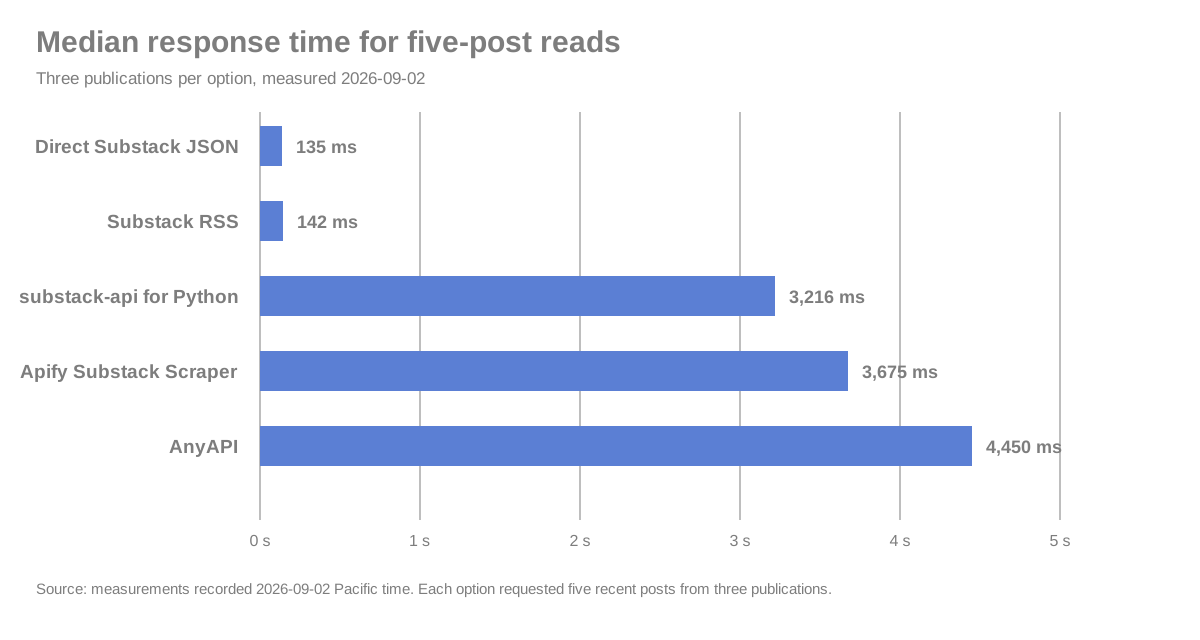
Three requests per option, five recent posts each. The free routes, the Python wrapper, and Apify were recorded on 2026-09-02; AnyAPI was re-measured on 2026-09-12 after the endpoint changed. The direct routes were timed with Node's fetch timer, the Python wrapper includes its own courtesy pause, and the two hosted options are end to end, so they include scraper startup.
Best Substack post API for recent-post monitoring
Substack RSS
Substack RSS pros:
- The only post-reading route Substack documents, and no key
- All 15 records, each with title, URL, date, author, and content or an excerpt
- About 0.14 seconds per feed
Substack RSS cons:
- No paywall, reaction, or comment fields
- No cursor, so paging is "remember what you've seen and poll again"
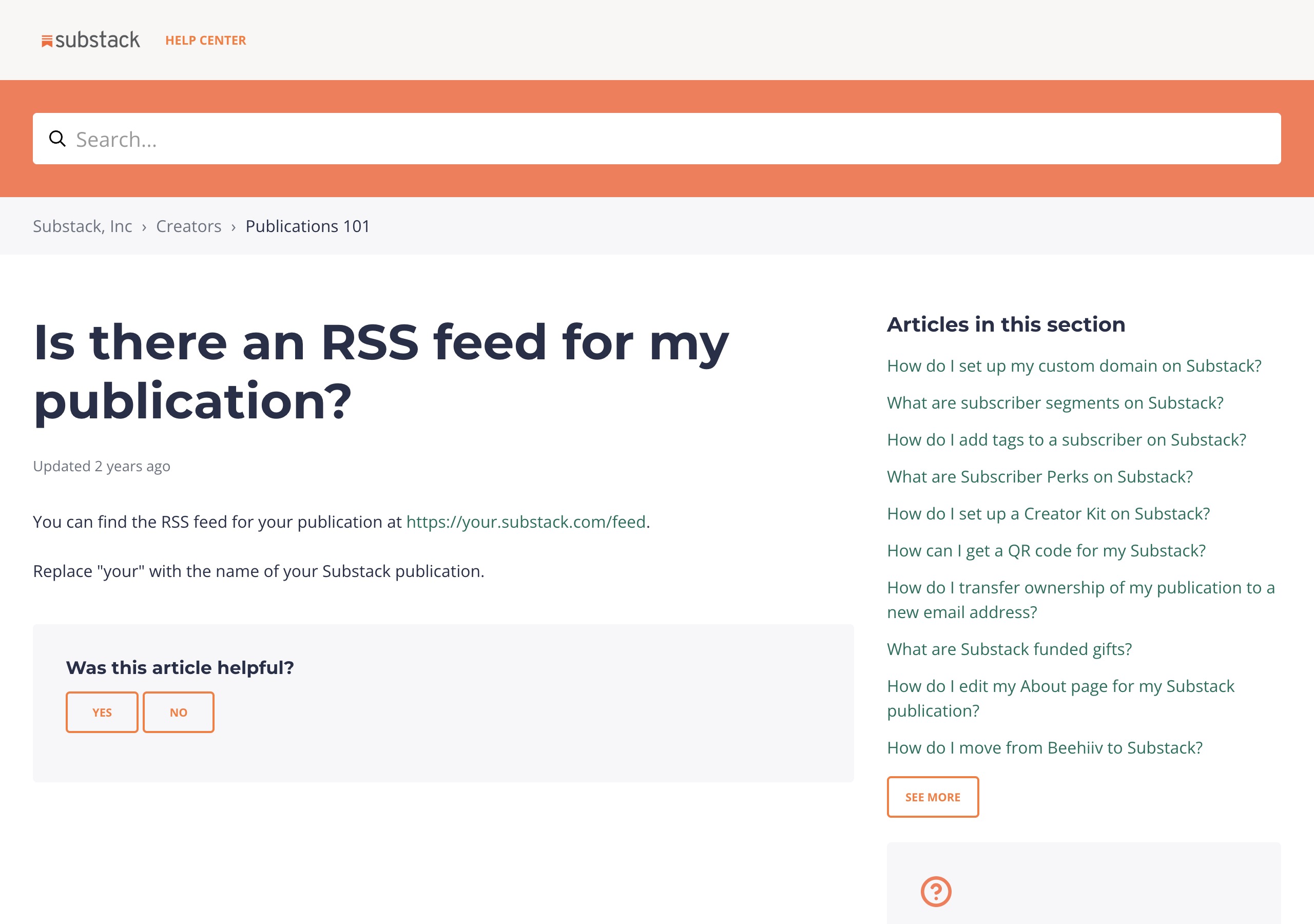
If your job is "tell me when this publication posts something new", this is the answer and you can stop reading. Append /feed to the publication URL, GET it, and you get RSS XML back. Nothing to sign up for, nothing that can be revoked, and Substack's own help page tells publication owners it exists.
curl -sS https://www.astralcodexten.com/feedThe feed is a list of recent items, not an archive. There's no cursor, so you store the identifiers you've already seen and poll for new ones. The body field is whatever Substack chose to put in the feed, which on a paid post may be an excerpt. If you need to know which posts are paywalled or how much engagement they got, the feed doesn't say, and that's what sends you to the next option.
Substack RSS pricing: $0 API fee. You pay for your own compute and nothing else.
Best Substack post API for rich reads with owned maintenance
Direct Substack JSON
Direct Substack JSON pros:
- All eight fields I scored, on all 15 records, including paywall, reactions, and comments
- The fastest median in the test, about 0.14 seconds, with no authentication
- Real pagination: offset and limit, walk until the response is empty
Direct Substack JSON cons:
- Not in Substack's documentation, so it can change or vanish without notice
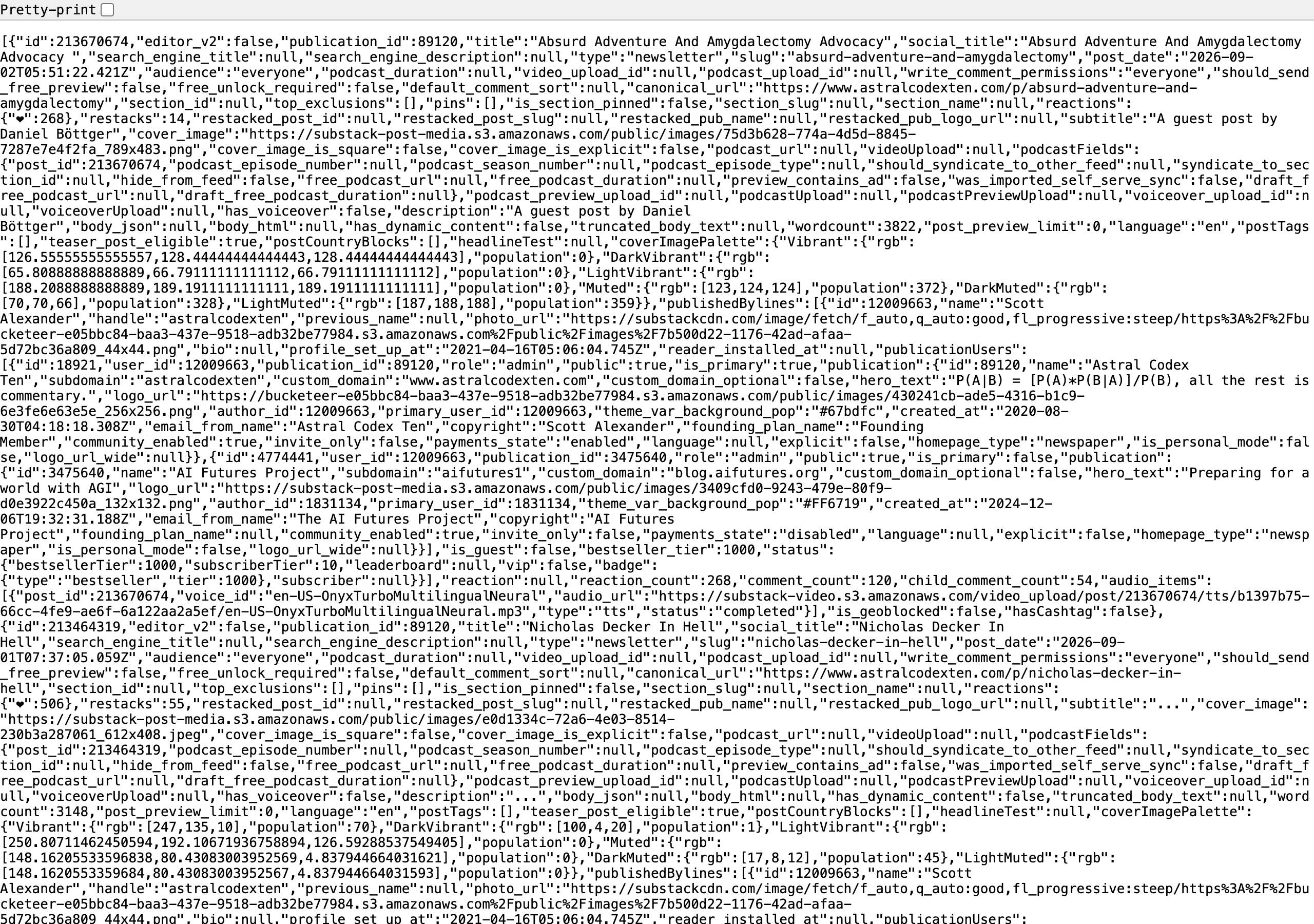
This is the route to build on if you can live with owning it. Every publication host answers at /api/v1/archive with sort, search, offset, and limit query parameters, and the response is a plain JSON array of post records. The same five-post read that RSS answered with titles and excerpts came back here with the paywall flag, the reaction count, and the comment count on every record.
curl -sS 'https://www.astralcodexten.com/api/v1/archive?sort=new&search=&offset=0&limit=5'Paging is arithmetic you do yourself: request a limit, advance the offset by that limit, repeat until you get an empty array. That's the whole loop, and it means a full archive walk is possible here in a way it isn't through the feed.
The cost is that nobody promised you this endpoint. Substack documents the feed for publication owners and lists profile and publication data in its Developer API terms, and this archive route is in neither. It worked on all three publications the day I tried it. Wrap it in something you can swap out, and keep the feed as a fallback.
Direct Substack JSON pricing: $0 API fee. Your own compute, and your own maintenance.
Best Substack post API for Python projects that value convenience
substack-api for Python
substack-api for Python pros:
NewsletterandPostobjects, so you never write the endpoint glue- All 15 requested posts, with bodies on 14 of them
- Accepts your own cookies for content you're entitled to read, and works without them for public posts
substack-api for Python cons:
- About 3.2 seconds median for a five-post read, roughly 24 times the direct JSON median
- Unofficial, and sequential by design
- One of the 15 records came back with no body
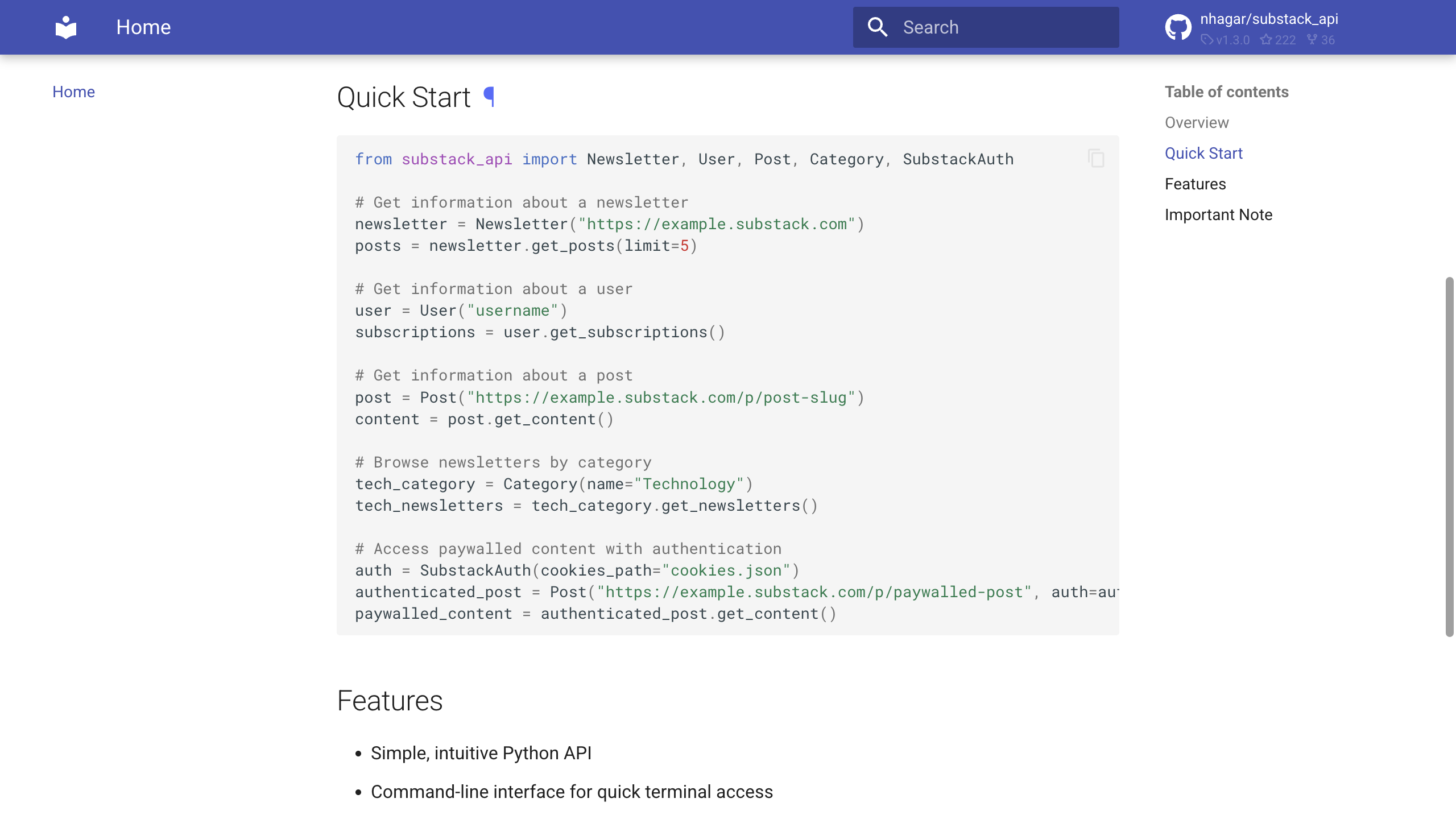
I installed version 1.2.0 in an isolated environment and ran it with no cookies. Newsletter.get_posts returned the posts, and the Post methods gave me metadata and content backed by the same JSON the archive route returns. The library advances the archive offsets for you, which is the convenience you're paying for.
You pay for it in wait. The package adds a courtesy pause after newsletter requests, and when you ask for a body it goes back for that post's metadata one post at a time. Five posts took about 3.2 seconds end to end against a hair over a tenth of a second for the raw archive call. For a nightly script that's nothing. In a request path, call the archive endpoint directly and skip the objects.
substack-api for Python pricing: $0 API fee. A pip install and your own compute.
Best Substack post API for hosted archives and nested comments
Apify Substack Scraper
Apify Substack Scraper pros:
- HTML, Markdown, and plain-text body fields on 14 of the 15 records
- Nested comment threads: 102 public comments across the six records that had them
- Cheap: $0.57 per 1,000 posts at five posts a run
Apify Substack Scraper cons:
- 9 of the 15 records were tagged
preview_only; only 6 were taggedfull - About 3.7 seconds median including actor startup
Apify is the pick when the job has to run on someone else's machine and needs the body text Substack exposes publicly, or the comments. You POST an actor run with substackUrls, maxPostsPerSubstack, includeContent, includeComments, and maxCommentsPerPost, authenticated with your Apify token, and each post goes into the dataset as one item with the article text in three formats, an access status, engagement fields, publication details, and the comment thread if you asked for it. Setting maxPostsPerSubstack to 0 requests the full archive, which is the easiest archive walk on this page.
Read the content_type field before you trust the body. A paywalled post comes back with a body, and that body is the public preview. All three of my runs completed, 14 of the 15 records had body text, but only 6 were tagged full and 9 were tagged preview_only. That's Substack showing the free part of a paid post, and the actor reporting it honestly. I capped comments at 20 per post; six records had threads, and the actor collected 102 comments across them.
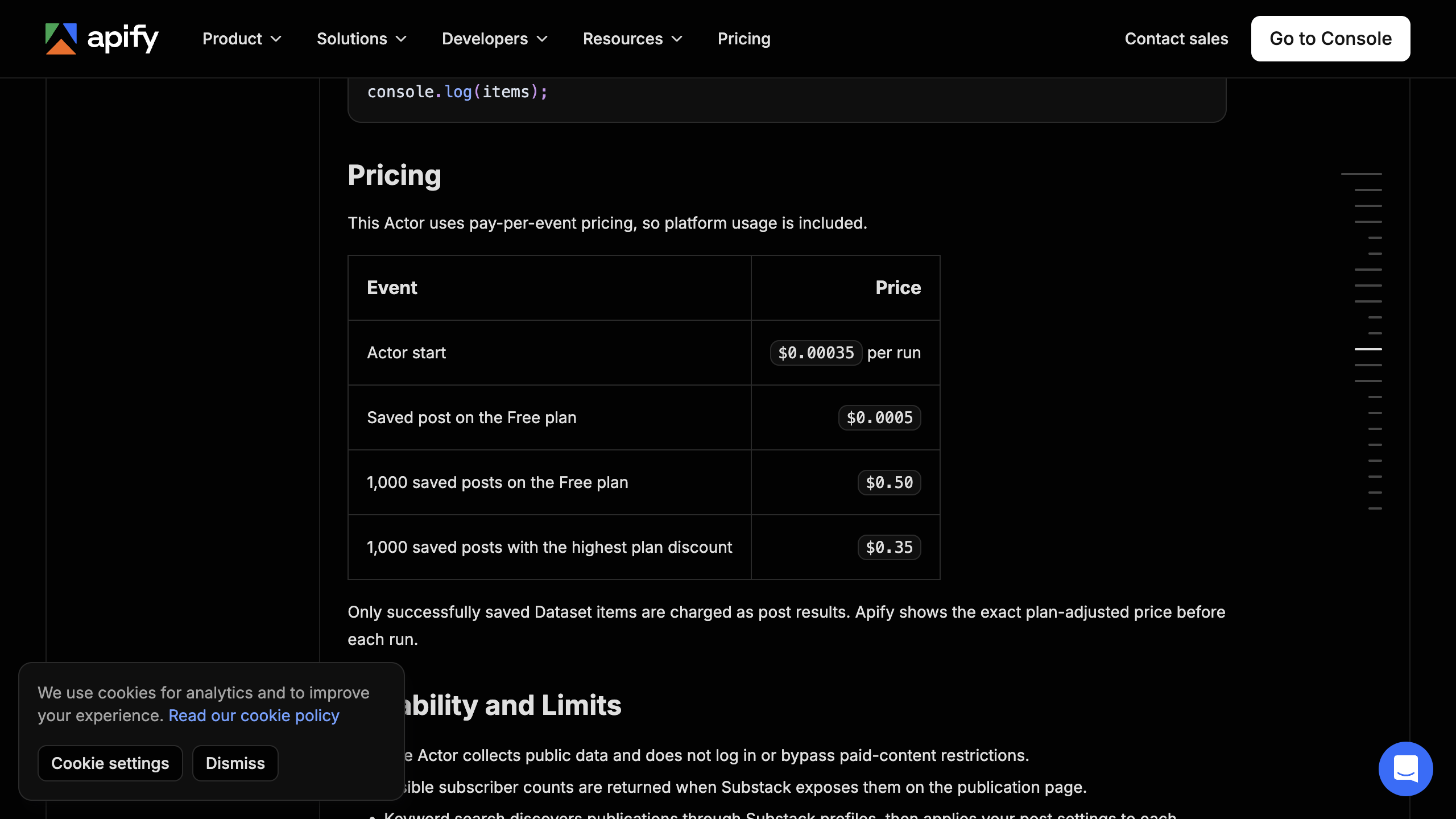
Apify Substack Scraper pricing: $0.00035 per run start plus $0.0005 per saved post on the Free plan. Three runs of five posts each billed $0.00855, an observed $0.57 per 1,000 returned posts.
Best Substack post API for article bodies in one normalized contract
AnyAPI
AnyAPI pros:
- Body as
text,html, andmarkdownon all 15 records, with acontentStatussaying whether it's the full article or a paywall preview - Paywall flag, reactions, comments, word count, and the publication object on every record
- Comment threads with direct replies, at no extra charge
- Metered in dollars per result, no plan, no minimum
AnyAPI cons:
- The slowest median in the test, about 5.3 seconds, and 36 seconds on the one call that asked for comments
- A base fee on every call, so five-post calls cost about 17 percent more per thousand than 100-post calls
- No cursor; the limit and the date filters are how you page
The request is a POST to /v1/run/substack.posts with a publication URL, a result limit, and optional filters for post type, date range, free-only, and minimum reactions or word count. Every response has the same found and data envelope whatever publication you send.
curl -sS -X POST 'https://api.getanyapi.com/v1/run/substack.posts' -H "Authorization: Bearer $ANYAPI_API_KEY" -H 'Content-Type: application/json' -d '{"url":"https://www.astralcodexten.com","limit":5,"includeContent":true}'When this piece first ran on 2026-09-02, the endpoint returned no article body at all, and it sat fifth on this list for that reason. It moved to a new source on 2026-09-12, and the body came back on every record. Re-running the same three calls that day, all 15 records carried text, html, and markdown. Seven were tagged full and eight preview_only, which lines up with which posts were paywalled: every Astral Codex Ten post was free and full, four of five Lenny's posts were paid and preview-only, and Not Boring split three to two. The largest body was 57,603 characters of text. Each of the three calls billed $0.00259.
Comments are a separate switch. One call with includeComments on and a cap of 20 per post returned 26 top-level comments and 28 direct replies across the five Astral Codex Ten posts, each with author, timestamp, reaction count, and a pinned flag. That call took 36 seconds, so keep it out of anything interactive.
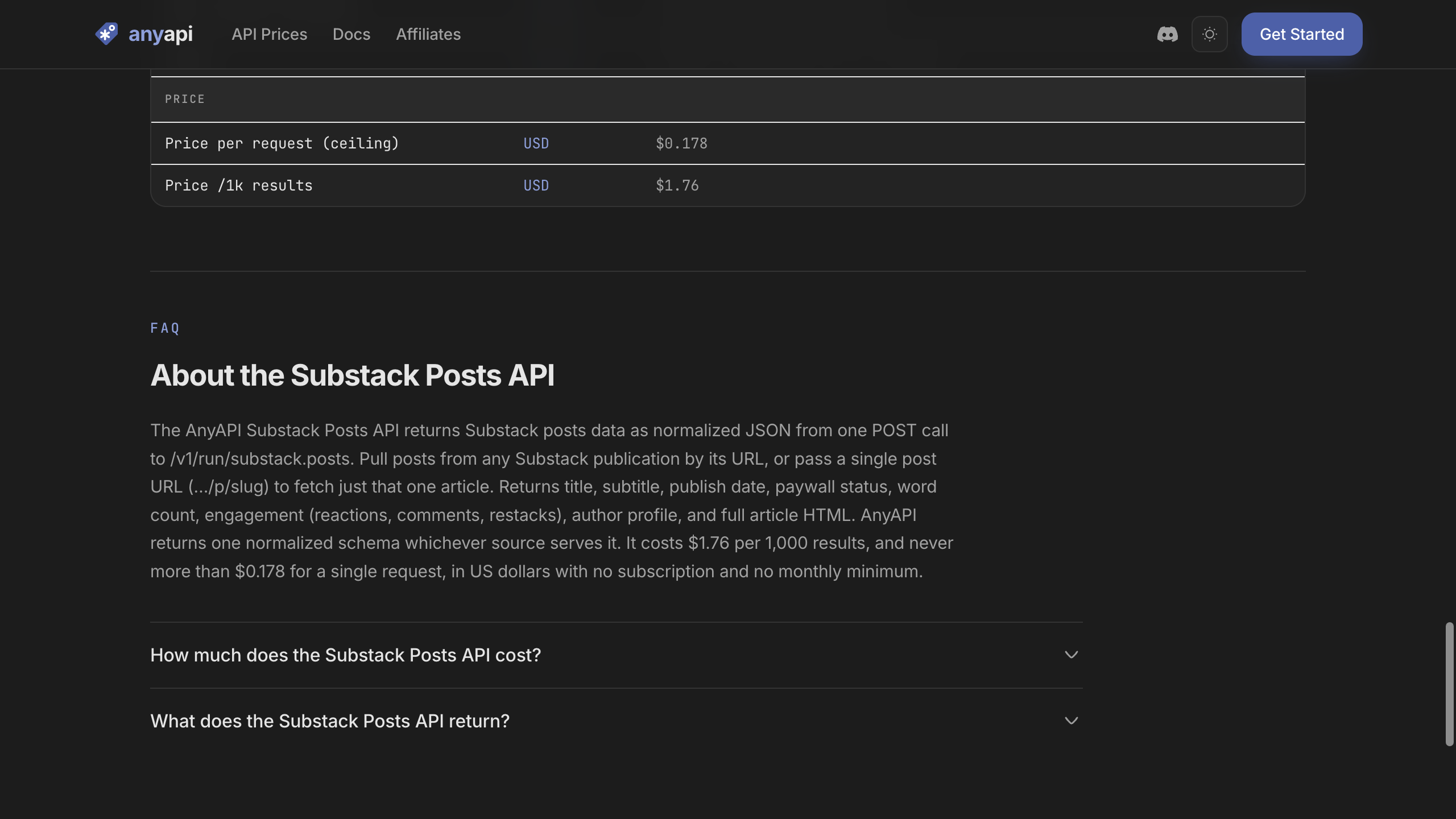
The pricing is a base fee on every call plus a charge per result, capped at $0.0444 a call. Five-post calls come to $0.518 per 1,000 posts. That lands just under Apify's Free-plan rate at the same batch size. At other batch sizes:
| Results per call | Price per 1,000 posts |
|---|---|
| 1 | $0.83 |
| 5 | $0.518 |
| 25 | $0.4556 |
| 50 | $0.4478 |
| 100 | $0.4439 |
If you're already reading other sources through one wallet and you want post bodies in one response shape, this is the one to use, batched at 100 results a call. If you only need Substack and you don't mind an Apify account, the row above does the same job.
AnyAPI pricing: a base fee per call plus a charge per result, capped at $0.0444 per call. That's $0.4439 per 1,000 posts at 100 results a call and $0.518 at five. Prepaid, metered per result, no monthly plan.
Which Substack post API should you use?
- You need new-post alerts with titles, links, dates, and authors: Substack RSS.
- You need paywall and engagement fields and can maintain an undocumented route: Direct Substack JSON.
- You're in Python and want objects instead of endpoint glue, and a few seconds per read is fine: substack-api for Python.
- You need a hosted job that returns public body text or nested comments and you're happy with an Apify account: Apify Substack Scraper, and check
content_typeon every record. - You want bodies, comments, and the paywall status in one normalized response, metered in dollars beside other sources: AnyAPI, batched at 100 results a call, and check
contentStatusthe same way.
The Amazon API for web scraping comparison walks the same choice between official access and managed structured data on a different source, and the API catalog lists what's callable if you're wiring up more than one.
Use data responsibly and follow AnyAPI's Acceptable Use Policy.